eXtremeRate
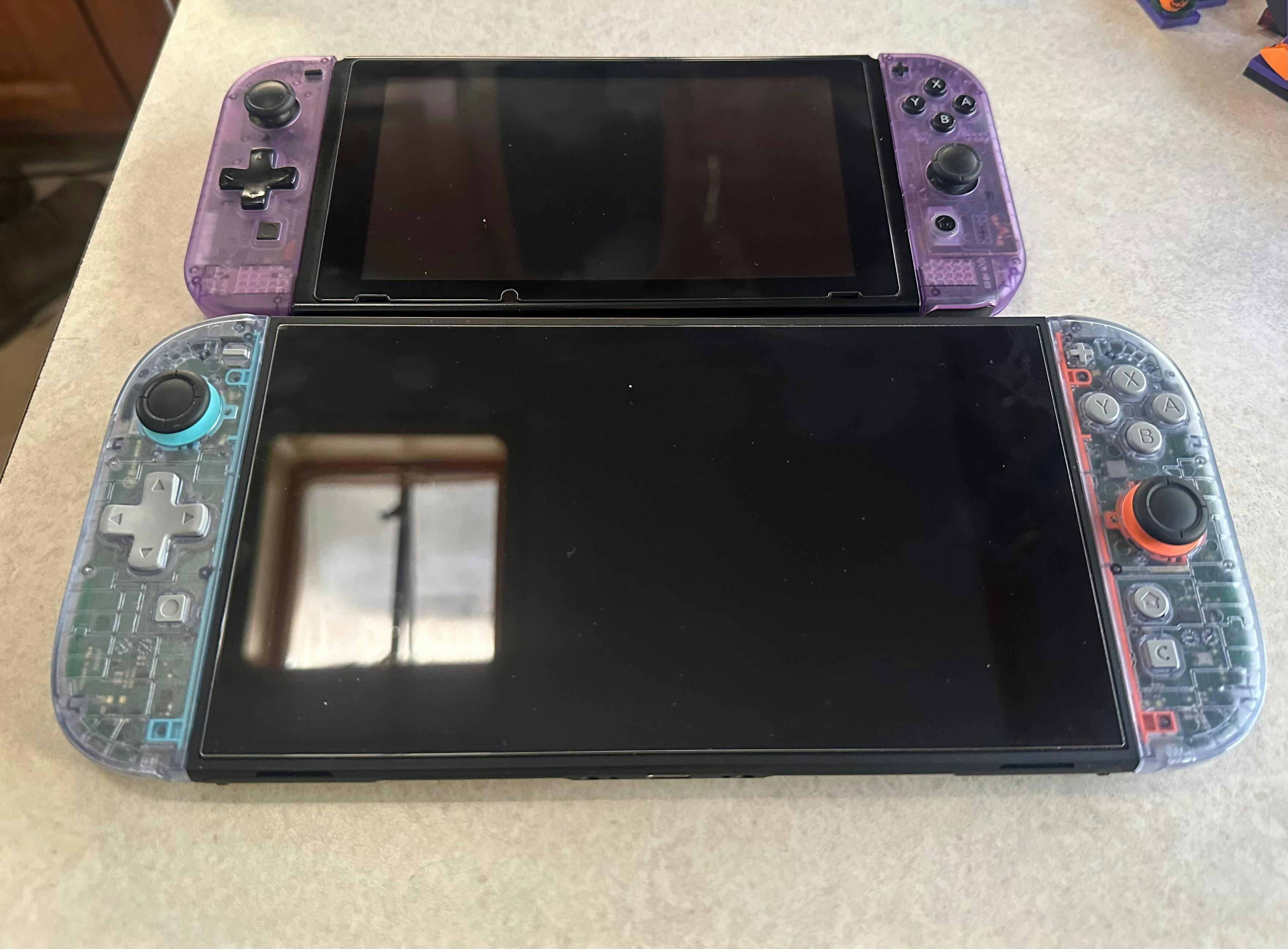
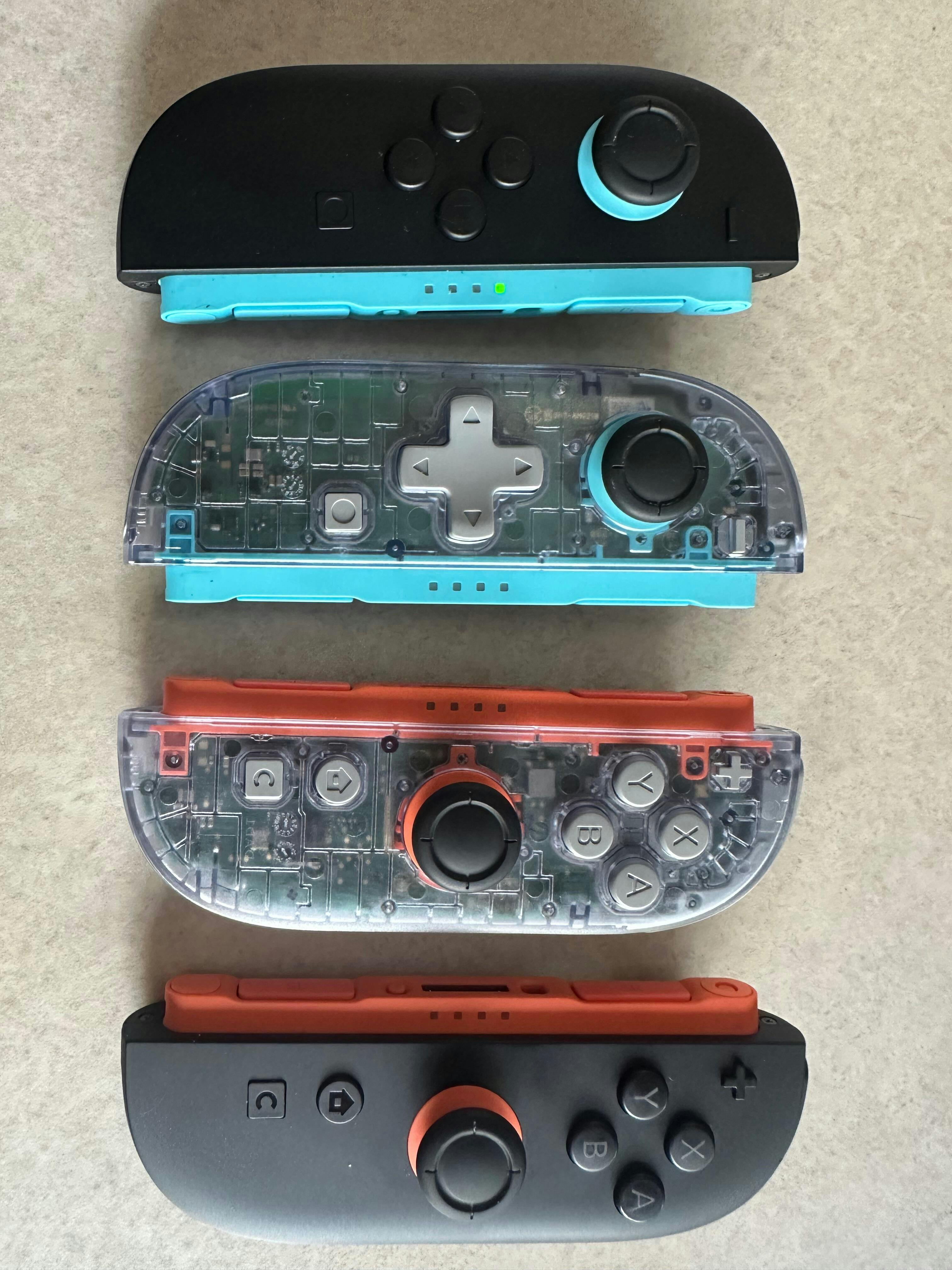
eXtremeRate D-Pad Version Replacement Full Set Shell Case with Buttons for Joycon 2 of Nintendo Switch 2 - Essence Version - Clear Glacier Blue
Verfügbarkeit für Abholungen konnte nicht geladen werden
Transform your standard controller into a unique masterpiece with eXtremeRate customizable shell buttons!
Say goodbye to dull designs and hello to vibrant, personalized options that showcase your individuality.
Elevate your gaming experience and extend the lifespan of your controller today!
Read Before Purchase:
- Compatibility:
1. The custom designed full shell buttons set is ONLY compatible with Nintendo Switch 2 console and controller.
2. Not compatible with Switch/Switch Lite/Switch OLED version.
3. The separate accessories are also compatible with the original parts.
4. Fully compatible with Joycon 2 magnetic release & lock after installed this kit.
- Note:
1. Please don't mistake think this is a handheld controller. Actually, it's only replacement housing faceplate shells with decrative strips, Dpad, colorful ABXY and direction buttons, without other accessories and any electronic parts.
2. Disassembling the device yourself may affect the warranty support of your console or controller, so please consider the implications of any customization.
Product Feature:
1. Totally upgrade your controller to the exclusive and stylish level.
2. Made of durable non-toxic PC plastic.
3. Completely fits flush on all sides and sits properly on all the clips.
4. Personalize your controller with vibrant colors and elegant styles.
5. It is a beautiful change up from a boring normal color without spending a ton of money.
6. The shells are clear but not 100% transparent.
Installation Guide & Tips:
- Installation Guide:
1. Installation difficulty: High. Requires customers with moderate experience with electronic disassembly and installation.
2. Tap here to check the installation guide video: eXtremeRate Nintendo Switch 2 Dpad JoyCon Replacement Shell (Essence Version) Installation Guide
- Tips:
1. Time spent: 1 hour or more
2. Patience needed: High
3. Turn off your device before the installation.
4. Go slow. Check every connection. Keep your screws organized. Watch the video tutorial on how to do it though, pausing and replaying often.
5. Use the correct screwdriver during disassembly & installation to avoid damaging the screws from mismatched tools.
6. Sort and organize the removed screws and small parts to avoid confusion or loss.
7. Use tweezer to assist with inserting and removing the small precision parts, such as flex cables or clips. Do not pull them forcefully.
Package Includes:
1* Left/Right faceplate shell
1* Left/Right decorative strip
1* D-pad
1* Colorful ABXY/Up/Down/Left/Right button
1* Cross/Triwing screwdriver
1* Open shell tool
43* Screws
10* Springs
Note: Without the controller, other accessories, and any electronic parts!